How do I change the device and location in Position Tracking?
After setting up your campaign, it’s impossible to change the original location or device type.
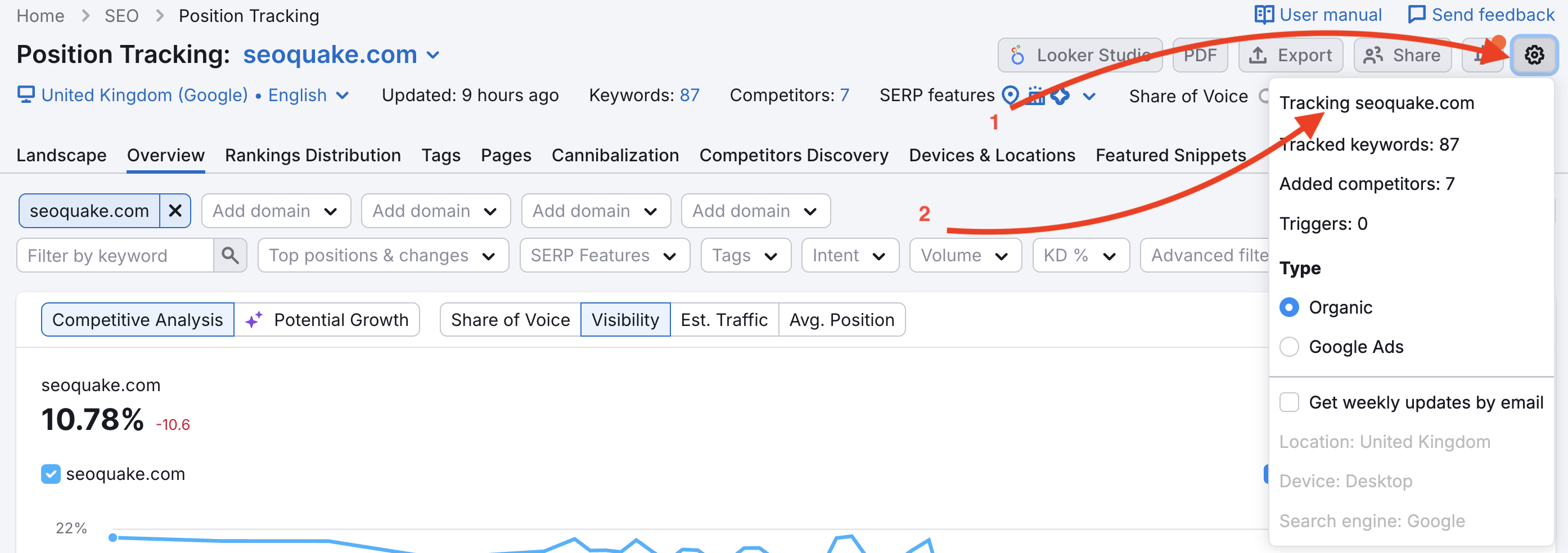
However, you can replace the current campaign with a new one where you can set up other tracking parameters. This can be done from the settings menu in the upper-right corner (1). When you click on the “Tracking domain” button (2), a new window will pop up where you can change the settings.
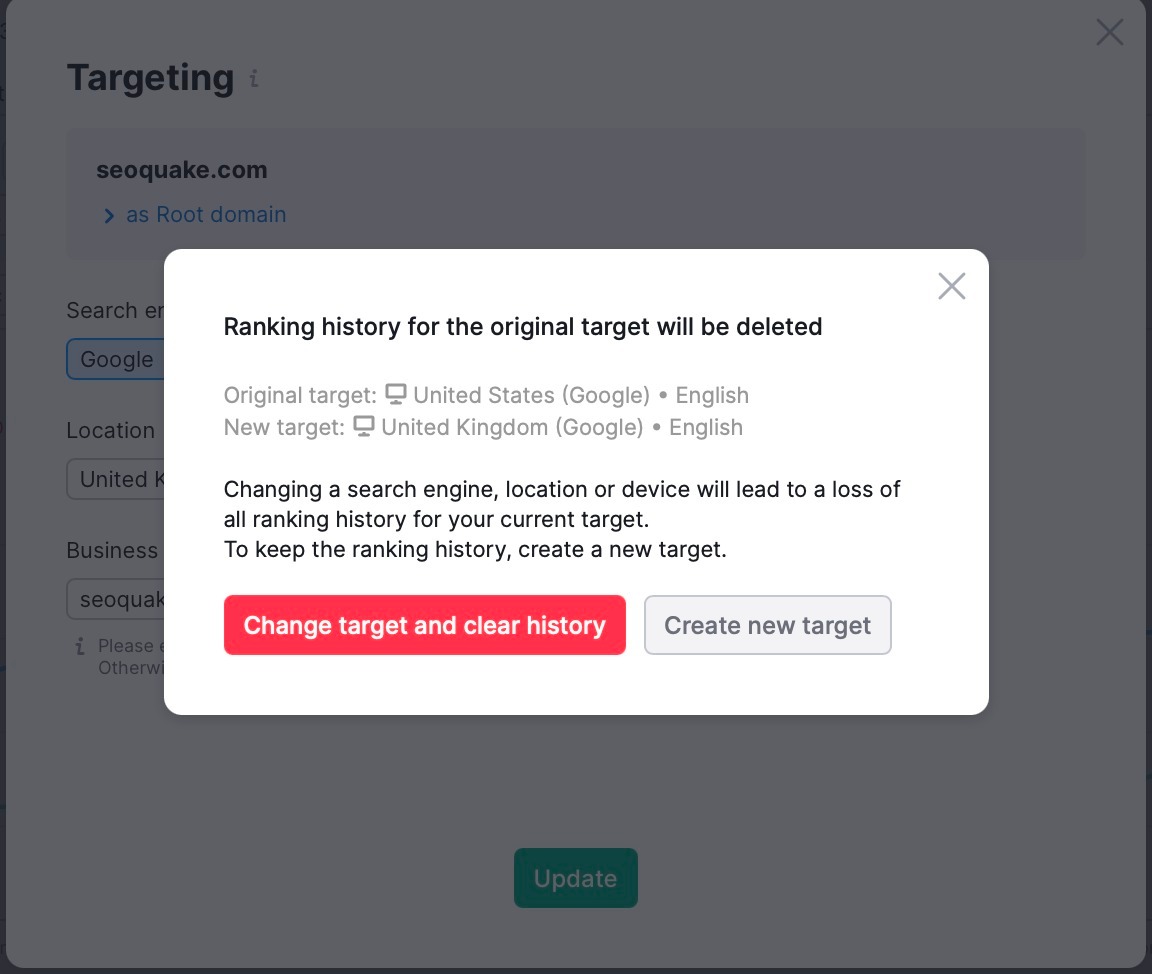
Please note that changing a search engine, location or device will lead to a loss of all ranking history for your current target. The new campaign will replace the current one. To keep the ranking history, create a new target with different tracking settings.
A new target can also be added from the main interface of the tool. Click on the current target of your campaign (1) and choose “Add new target” (2).
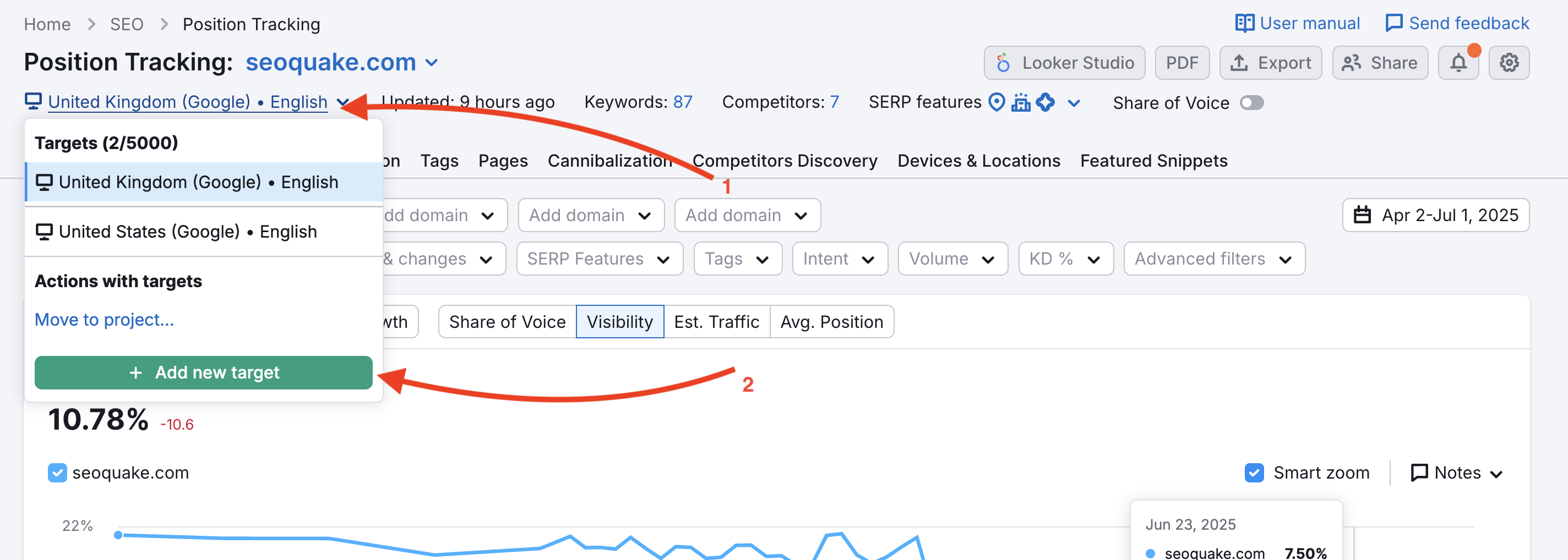
Multitargeting is available with the SEO Toolkit Guru (10 targets per campaign) and SEO Toolkit Business (5,000 targets per campaign) subscription plans.
 Powrót do Zestawy narzędzi Semrush kategoria